CLI vs MCP (Model Context Protocol): The Ultimate 2026 Developer's Guide
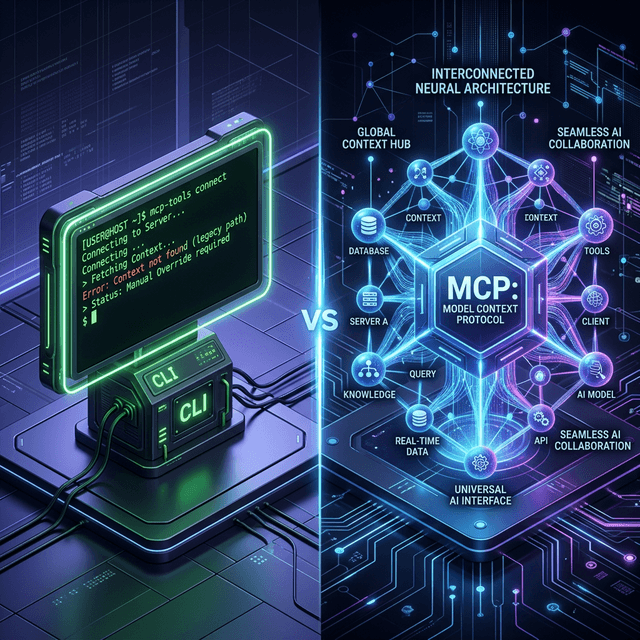
CLI vs MCP (Model Context Protocol): The Ultimate 2026 Developer's Guide
For nearly five decades, the Command Line Interface (CLI) has been the undisputed king of developer productivity. Whether you were traversing massive UNIX directories, executing complex build scripts, or managing ephemeral cloud infrastructure, the terminal was where "real work" happened.
But as we navigate 2026, the developer ecosystem is undergoing a tectonic paradigm shift. As autonomous AI coding agents and advanced Large Language Models (LLMs) move from simple inline code autocomplete to system-level integration and reasoning, a new standard has taken center stage: the Model Context Protocol (MCP).
If you are a software engineer building tools, APIs, CLIs, or internal infrastructure in 2026, you must understand the fundamental architectural differences between CLI and MCP. More importantly, you need to understand why the future of software requires a "Dual-Interface" architecture that supports both.
This comprehensive guide covers everything from the core definitions and limitations of legacy CLI automation to how to structure your first MCP server in TypeScript, ensuring your developer tools are fully optimized for the AI era.
What is a Command Line Interface (CLI)?
A Command Line Interface (CLI) allows human users to interact with a computer program, operating system, or utility by typing text commands into a terminal emulator or console.
The Human-Centric Design Philosophy of CLI
CLIs are explicitly designed for human consumption, memory, and cognitive load:
- Flags and Arguments: Syntax like
ls -la,git commit -m "update", ornpm installwas designed to be memorable, shorthand, and fast for humans to type. - Visual Formatting and Affordances: Modern CLIs output data optimized for human eye tracking. They use beautifully padded ASCII tables, ANSI-colorized text for success/error states, spinners for loading states, and progress bars.
- Interactive Prompts: CLIs pause execution to ask human operators critical questions (e.g.,
Are you sure you want to drop this database table? [y/N]).
The Severe Limitations of CLIs for Autonomous AI Agents
While CLIs provide an incredible developer experience (DX) for humans, they are fundamentally flawed—and often dangerous—when handed to autonomous AI agents.
- Unstructured Output Parsing (The Regex Nightmare): Parsing a human-readable table or a colorized error message is a nightmare for a machine. When an AI agent runs a CLI command, it receives raw
stdout(Standard Output). To extract the actual data, the AI must rely on fragile Regular Expressions that break the moment the CLI author updates their formatting. - Synchronous Interactivity & Process Hangs: If an AI agent executes a bash script and a CLI prompt suddenly halts execution expecting human
stdin, the AI agent process hangs indefinitely. It has no standard programmatic way to know what the prompt expects. - Lack of Introspection & Tool Discovery: An AI doesn't inherently know what CLI flags are available unless it executes
--helpand attempts to parse the heavily stylized man pages. - Context Window Pollution: A CLI command like
git logmight return 10,000 lines of unstructured text, blowing out an LLM's context window. The CLI has no built-in mechanism to paginate structured data specifically for an AI model.
What is the Model Context Protocol (MCP)?
Introduced as an open standard and universally adopted by 2026, the Model Context Protocol (MCP) is a secure, universal architecture that standardizes how AI models connect to external tools, databases, and internal APIs.
Think of MCP as the "USB-C adapter for AI Agents." If you build an MCP server, any compliant AI assistant (like Claude, custom LLMs, or your agentic IDE) can instantly understand, safely interact with, and reason about your custom tool.
The Machine-Centric Design Philosophy of MCP
MCP is designed bottom-up for machine consumption and deterministic logic:
- Strictly Typed JSON Schema: Instead of parsing plain text arrays, inputs and outputs are transmitted as strictly typed JSON RPC messages. If an AI provides a string where an integer was expected, the protocol rejects it safely before execution.
- Automated Tool Discovery (Introspection): An MCP server exposes a
/toolscapability endpoint. When an AI connects, it receives a structured, dynamic list of every capability the tool has, the required parameters (validated via Zod), and semantic descriptions. - Resource Context Resolution: MCP goes beyond "running commands." It can securely expose entire local file systems, live database schemas, or real-time API logs directly into an AI model's context window as queryable "Resources."
- Granular Security and Sandboxing: Because MCP uses a client-server model (operating locally over
stdioor remotely over SSE), human operators retain absolute, granular control over exactly which tools the AI is permitted to execute.
Why MCP Has Revolutionized 2026 Engineering Workflows
By transitioning from brittle terminal execution to robust MCP integration, engineering teams have achieved:
- Zero-Shot Reliability: Tools defined via strict JSON Schema mean AI models rarely hallucinate tool arguments.
- Deterministic Feedback Loops: When a tool fails, the MCP server returns a structured error object indicating exactly why it failed, allowing the AI to logically retry rather than guessing based on colored terminal text.
- Seamless Prompt Chaining: An AI can fetch a database schema via an MCP Resource, write a SQL query, execute it via an MCP Tool, and visualize the output—all deterministically without ever opening a bash terminal.
(Are you building secure MCP tools? Ensure your payload structures are perfect using the DevConsole JSON Formatter)
Direct Architectural Comparison: CLI vs MCP
Understanding the differences at a glance is crucial for modern systems architecture planning.
| Feature Matrix | Command Line Interface (CLI) | Model Context Protocol (MCP) |
| :--- | :--- | :--- |
| Primary End-User | Human Developers & Sysadmins | Autonomous AI Agents & LLMs |
| Input Mechanism | Terminal text, POSIX flags, bash arguments | Standardized JSON RPC & JSON Schema payloads |
| Output Format | Plain text, ANSI formatting, ASCII art | Structured JSON data objects & typed errors |
| Tool Discovery | Searching Docs, StackOverflow, --help execution | Automated parameter introspection on agent connection |
| Execution Flow | Synchronous, blocking, interactive (TTY terminals) | Asynchronous, programmatic, defined capability states |
| Feedback Loop | Pattern matching raw stdout / stderr text streams | Explicit success/error typed JSON payload reasoning |
| Security Boundaries | OS-level user file permissions (sudo/bash) | Explicit connection permission models per AI client |
Building for the 2026 Ecosystem: The "Dual-Interface" Architecture
As a tool, library, or platform builder in 2026, you shouldn't abandon the CLI. Humans still need to type commands when they are operating manually or writing quick bash scripts.
Instead, modern development mandates the Dual-Interface Architecture. You extract the core business logic into a foundational layer, expose it as an MCP Server for your AI coding agents, and then build a very thin CLI wrapper around it for your human developers.
The Old Way (CLI Only - Highly Vulnerable to AI Hallucinations)
// A legacy Node.js CLI script to fetch server status
import { Command } from 'commander';

const program = new Command();
program
  .command('status <server_id>')
  .action(async (id) => {
    const data = await fetchStatus(id);
    // Formatted strictly for human eyes - an AI has to regex this!
    console.log(`\x1b[32m[OK]\x1b[0m 🚀 Server ${id} is actively running at ${data.cpu}% CPU`);
  });
The 2026 Way (MCP Core + Thin CLI Wrapper)
Step 1: The MCP Tool Definition (The Brain for AI) Define exactly what the tool does using the official MCP SDK and Zod for validation.
import { McpServer } from "@modelcontextprotocol/sdk/server/mcp.js";
import { z } from "zod";

// Initialize the MCP Server environment
const server = new McpServer({ name: "aws-server-manager", version: "1.0.0" });

// The AI knows EXACTLY how to call this based on the generated Zod schema parameters
server.tool(
  "get_server_status",
  "Fetches the live CPU and memory status of a target production server.",
  { server_id: z.string().describe("The exact, unique EC2 instance ID (e.g., i-1234567890abcdef0)") },
  async ({ server_id }) => {
    try {
      const data = await fetchStatus(server_id);
      return {
        content: [{
          type: "text",
          // Structured JSON for the machine to parse, map, and logically reason about
          text: JSON.stringify({ status: "healthy", cpu_usage_percent: data.cpu, memory_bytes: data.memory })
        }]
      };
    } catch (e) {
         return {
             isError: true, // Deterministic error handling for the AI!
             content: [{ type: "text", text: JSON.stringify({ error_code: "INSTANCE_NOT_FOUND", details: e.message }) }]
         }
    }
  }
);
Step 2: The CLI Wrapper (The Face for Humans) Your CLI wrapper simply calls the internal MCP logic (or the underlying shared TypeScript function) and formats that raw JSON into pretty, colorized text for the developer's terminal. This ensures absolutely zero duplicated business logic.
Frequently Asked Questions (FAQ)
Will MCP eventually replace the CLI entirely?
For human-to-computer interaction, no. Developers will still use git, npm, and docker commands daily. The tactile speed of terminal typing is ingrained in developer culture. However, for AI-to-computer interaction, absolutely. Attempting to have an AI agent interact with systems via raw bash commands and text-scraping is now considered a dangerous legacy anti-pattern.
Can I convert my existing CLI tool into an MCP Server?
Yes. The quickest patch is creating an MCP server that executes your CLI via child_process.exec behind the scenes. However, for maximum AI reliability and context window efficiency, you should refactor your CLI to separate the presentation layer (terminal printing) from the data layer, exposing the data layer directly through MCP.
What programming languages support building MCP Servers?
As of 2026, there are robust, official SDKs for TypeScript/Node.js, Python, and Go. Because MCP operates universally over standard streams (stdio) or over the web via Server-Sent Events (SSE), community SDKs exist for almost every major backend language, including Rust, Java, and C#.
Is MCP inherently secure? Can an AI mistakenly delete my database?
MCP is drastically more secure than giving an AI direct access to a bash terminal. Because you explicitly define the specific tools available in your MCP server, the AI can only execute what you have programmed. If your MCP tool for querying a database is strictly hardcoded to SELECT operations, the AI physically cannot inject a DROP TABLE command.
Pro tip: Always verify your API security tokens using the DevConsole JWT Decoder before wrapping private APIs in an MCP server.
Conclusion
The monumental shift from CLI to MCP is the fundamental transition from parsing raw strings to passing strictly typed state.
CLIs format information beautifully for human eyes; MCP standardizes capabilities for artificial minds. The most resilient and widely adopted developer tools of 2026 dual-wield both interfaces gracefully. The modern tech industry recognizes that the "10x Developer" of the future is not a solo engineer typing rapidly in a dark terminal, but a human-AI hybrid team working in perfect, programmatic synchronization over the Model Context Protocol.
Ready to upgrade your developer toolset? If you are optimizing your internal APIs for MCP integration, ensure your system configurations are perfect. Use the DevConsole Config Builder to streamline your setup, verify your request headers with the HTTP Header Analyzer, or dive into our full suite of developer tools.
Frequently Asked Questions
Founding developer offer
Debug the state your users actually experience
Inspect auth, replay requests, and force edge cases without leaving your app.